Color Label Solutions

Color Label Solutions
www.colorlabelsolutions.com

Monday, January 17, 2022

C4000 Launch

Epson announced this week the new replacement for the 8-Year Old, C3500 Color Label Printer; the C4000.
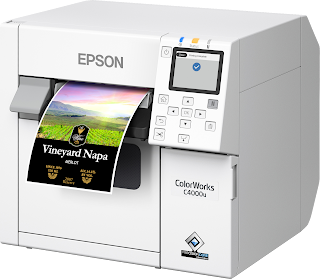
C4000 Replacement For The C3500

Read about the new C4000 from the Epson press release here.

And the webpage for this new printer.  And overview video here.


This new printer will offer several key features that I believe will fit many of our customer’s applications.  In this post, I’ll review the 5 key features as I see them; and present who should consider this new printer.

5 Key Features
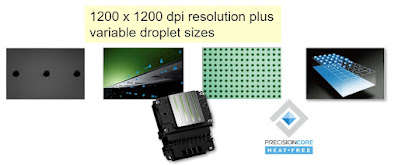
C4000 Improved Print Quality

First, the most important feature of the C4000 compared to the C3500 is improved print quality.  The C4000 will offer up to 1200 x 1200 dpi print; much higher than the C3500 which offered up to 720 x 360 dpi.  More importantly, the C4000 will offer significantly higher print quality than a very expensive, 600 dpi thermal transfer printers such as the ZT610 which can cost over $4,000.  Or even a less expensive, lower dpi printer such as the ZT410:
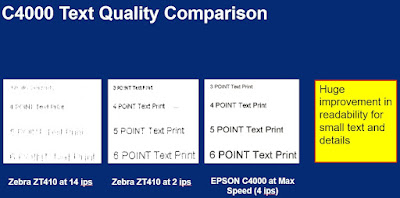
C4000 Print Quality Comparison

In addition to the improved font print quality (even on plain paper above), the C4000 offers plug and play into ZPL.

Easier to use compare to thermal ribbons; ability to print color codes and images; more durable images; and probably lower ink costs especially compared to resin or resin/wax ribbon costs.
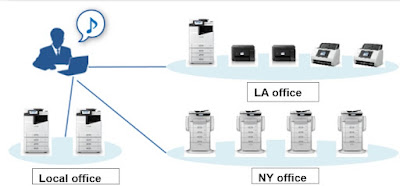
C4000 Remote Device Management

Second, the C4000 will offer Remote Device Management capabilities. For larger, multi-site deployments, device management will save Operations and/or IT time enabling them to Configure all printers, Check Printer Status, Update Firmware and Create Alerts.  This device management capability will save large organizations significant time and money ensuring their label printers are running as required.
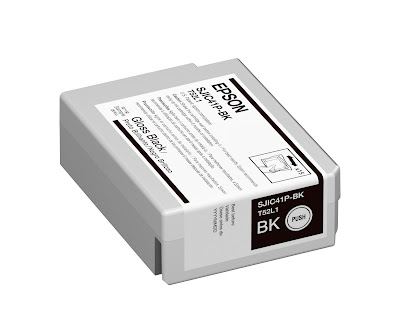
C4000 Larger Ink Cartridges

Third, the C4000 will offer larger ink cartridges; 67% larger than the C3500. These larger cartridges will increase the label yield per cartridge; and thus, reducing the number of cartridge changes.
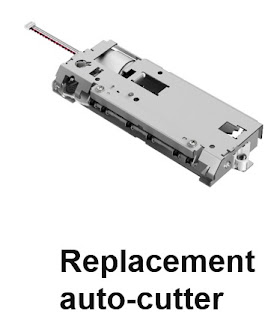
C4000 User Replaceable Cutter

Fourth, the C4000 will offer user replaceable cutters. User replaceable cutter will save users (and us) time and money.  No more sending in a printer to replace the cutter.
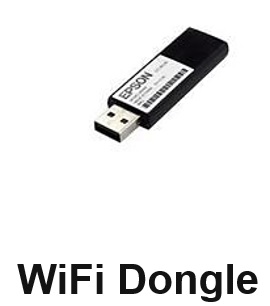
C4000 WiFi Capability
C4000 WiFi Capability 

Fifth, the C4000 will offer WiFi connectivity.  No other color label printer we sell offers this capability.  I can see many operations connecting to the C4000 via WiFi.

The C4000 offers other features that you may find of interest (i.e. small footprint, durable ink, etc.), but the 5 features mentioned above will make the C4000 a very valuable tool in your operation.

3 Potential Applications
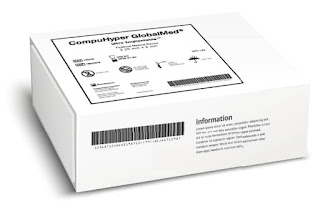
Electronics Manufacturing Labels

As to whom should consider the C4000, I see 4 key uses.  First, manufacturing operations that need to print high resolution and durable text/fonts. Up to now, most manufacturers used a 600 dpi thermal transfer printer for these applications.  Now the C4000 will save money and produce even higher quality print. Many Medical or Electronic manufacturers would seem to fit into this category.
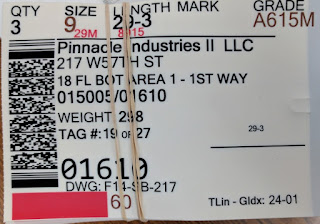
Color-Coded Labels
Second, manufacturers who want to add color codes or images to their labels.  Or even the combination of colors and images. 

Color and Images
Color and Images

These types of labels maybe important in health care; in compounding and regular pharmacies for example.  For example, pharmacy labels.
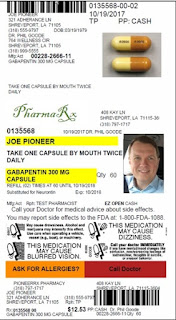
On-Demand Color Pharmacy Labels

 
The C4000 would print these types of labels and tags easily; and affordably. 
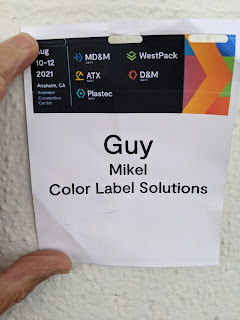
On-Demand Color Badges

Third, tradeshow/registration operations should consider the C4000 for their badges. The higher print quality makes attendee pictures much better for identification and to prevent pass along.  Device management capability makes operation of these devices much easier for larger deployments; such as CES.   

On-Demand Color Food Labels

And fourth, Food Retailers who need to print a simple logo and variable data on prepared meals labels; such as retail outlets. The affordability combined with the Remote Device management capability makes the C4000 a great option to print color labels on-demand in retail stores.

One area that I would not recommend the C4000 is for any manufacturer printing full-bleed labels.  The C4000 uses a similar media handling as the former C3500 printer.  For anyone printing full-bleed, I’d recommend the C6000 series printers instead given the more precise media handling/feeding which makes printing to the edge more precise.

Further, I’d recommend the C6000 series over the C4000 printer to anyone printing circle labels as well.  The C6000 series offers a movable blackmark/gap sensor, eliminating the need for marks preprinted on the labels.  This feature saves money and makes circles easier to print.  
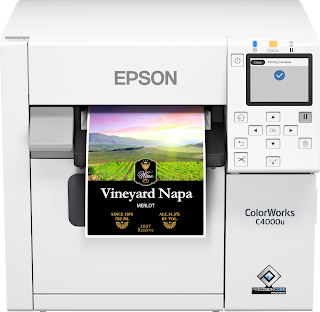
New C4000 Color Label Printer

According to Epson, the C4000 will become available in the Spring of 2022; with a price of $1,750.  Place your advance order for theC4000 printer here .  And ink here. See our main page for the C4000 here. 


Once ordered, we’ll get one reserved for you with Epson.  And be sure to watch for more information from us on the new C4000.

For us, we find new color label printer technology exciting; especially when it replaces an eight-year old printer like the C3500.  If you are interested in the C4000 label printer, contact us to learn more or to place an advance order.

Guy Mikel
855-962-7670

Monday, January 3, 2022

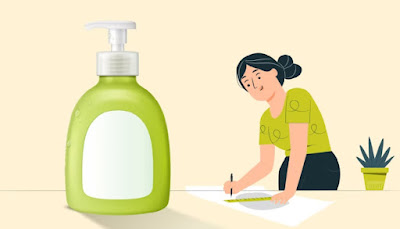
Designing Labels

Recently, I came across an article that would seem to fit almost all of our customers in the label business; How To Design A Label; the Ultimate Guide.

Designing Labels
How To Design Labels

In the past, we’ve posted about several aspects of label design.  For example, our graphic designer, Tony Molina’s work designing label and logo art for one of our customers.


Raster vs Vector; When To Use What Type of Art.


But we’ve not provided a How To approach to designing a label from scratch.  The “How To Design A Label” article provides good ideas for those of us who need to create labels.

After reviewing the article, I found three key steps you should complete when designing a label.

First, consider writing a “Creative Brief”.  This document should describe the technical and aesthetic requirements of the label.  Basically, a document to hand over to a graphic artist.  This type of summary helps contemplate all of the elements needed in the label design.

In the Creative Brief, make sure you add the specific requirements needed in the label.  Some examples include the following.

Package and Label dimensions.  We get customers every day contacting us with no idea of the size of label required.  Make sure you know the packaging type and label size required.  Many times, I recommend considering a label size with whole integers (i.e. 2” x 1”) may fit your product.  These standard sizes are more readily available and generally less expensive.

Printer Technical Capabilities. Many times, people contact us wanting to produce the same type of labels from an on-demand, 4 color printer that they purchase from a company using million-dollar presses.  By understanding the capabilities of an on-demand color printer, graphic artists can create designs that produce the best possible print output; regardless of the price of the printer.

Logo’s, Brand Colors, Certifications and other Icons.  Be sure to include all images and colors needed to complete the desired label look.

Nutritional Facts, THC/CBD Content, ingredients, or other specific content as we as any table of information required.

Front, Back, Top, Neck, Security label sizes/types/materials needed.

Barcode and QR code data.  If selling through a retail channel, a GS1barcode may be needed.

Find more information on creative briefs of all types here: 


I asked our Graphic Artist, Tony Molina about developing a “Creative Brief”.  Tony says, “I want to learn as much information about the product as possible; Including who is the target audience or preferred sizes.  Also, I ask customers for samples of existing labels they like. I want to see the label so I can get a feel for what the customer has in mind. If the company has a particular color scheme, I could integrate those colors in the design as well.”

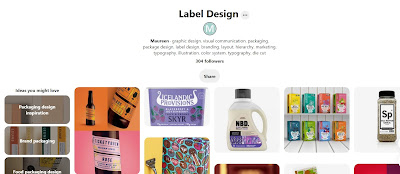
Second, document the Branding Direction of your product.  This effort ensures the label design visually supports the “Product Position” and/or the product strategy. Logo’s and branding style are important elements of the Branding Direction.  In addition, companies with multiple brands should want “Brand Consistency” across their product line.  In this post, 60 different label designs are presented to provide ideas.  Although all of the products are consumer oriented, it may give you creative ideas for labels. 

Label Design Ideas


For Branding Direction, Tony recommends, “Have a color scheme in the label design that reflects your product positioning. Your logo should be clean and easily recognizable. Label content should be well balanced and uncluttered. Maintain label style/consistency throughout the product line.” 

Third, mock up your product using the label design and packaging.  This step is important to ensure the label design (2D) works on the product package (3D). On-Demand Color Printing of continuous labels and then hand-cut to size makes this step easy to do for anyone with a printer.  Although not within my capabilities, graphic artists should be able to create electronic version using software such as Photoshop to create realistic images of the finished product as well.

Following these three steps should help you create label art that fits your products and works well with on-demand color label printers.  By adding one more step (Contacting Color Label Solutions), you’ll create great looking labels that your customers will approve.

Guy Mikel
855-962-7670

Sunday, November 14, 2021

C6000 Updates

Epson just made available firmware and driver updates for the relatively new C6000 series label printers.

C6000 Printer Updates

And if you have one of these printers, you really should update these items.

C6000 Firmware/Driver Updates

I’ve always been a big fan of updating firmware and drivers when available.  In my first post about using the C6000 series printers, I suggested updating the firmware.

To update the driver (v1.5.0.0) and firmware (TS01LA) for the C6000A, C6000P, C6500A, or the C6500P visit Epson’s support site (or Google it).  For example, here is the URL for the C6500A driver and firmware.

FYI: when you update the firmware and driver, all of your media definitions/page sizes disappear.

C6000 Updates Sizes
C6000 Updates Sizes

Make sure you copy the page size settings prior to updating the firmware and driver.  I understand this loss of settings can be a pain; but the advancements in the driver mean you can’t utilize the existing page sizes.

When you update these items, Epson provides 3 new important aspects making printing easier and better to do.

First, Epson now has a setting for the left and right side.


C6000 Media Setting Left/Right

The default setting for the left/right gap is 08”.  Normal exposed liner on a label is .06”.  In this example, I reduced the gap to .03” in order to print full bleed without getting too much ink on the liner.  And it turns out that .03” is perfect for full-bleed printing.  First I tried it on a 4 x 3” matte poly label; and it printed perfect.

C6000 Full-Bleed Printing

And then again on a 4x6” gloss poly:

C6000 Full-Bleed Label Printing

If you print labels full-bleed using the C6000 driver, you need to update your firmware and driver for this extra capability.  It seems to make full-bleed printing much easier to do.

C6000 Tag Printing
C6000 Tag Printing

After testing two labels, I tested tags.  In the prior versions of the driver and firmware, the C6000 would not allow you to print to the edge of the tag.  It was set up to prevent ink from going into the printer on the sides.  With these new changes, you should be able to titrate the print to go very close to the edge of the tag/badge.  If you print tags or badges, this change should help a lot.

Second, Epson claims the new firmware prevents the printer from grinding/jumping at the end of the roll.  This reaction occurred when the tape that attached the label to the core would prevent the material from advancing.  Watch what I mean here:


Although I’ve seen this issue on video, I’ve not experienced it myself.  I’d appreciate if anyone who has experienced this problem would contact me or even send me a video of this problem occurring.  And then testing the new firmware to see if it stops or reduced.

C6000 Error Changes
C6000 Error Changes

Third, Epson has changed the LED messages for errors on the printer.  If you have had media loading issues with the C6000 series printers, you have experienced the problems with the messages.  In fact, I wrote this post specifically to tell you not to load media until the LED says “load media”.

The error messages make loading labels complicated.  I’m hopeful these changes make recovering from errors easier.

If you have a C6000 series printer, you should update the firmware and driver.  If you need assistance with the process, contact us.  And if you need ink and labels for your C6000 printers, be sure to contact us as well.

Guy Mikel
855-962-7670


Tuesday, October 26, 2021

Sustainable Label Production

Does your company have sustainability goals?  Are you concerned about sustainability?
Sustainable Label Production

If the company wants to use environmentally sustainable methods of production, you may want to review your labeling process.  This post outlines how changing one type of labeling method may make your labeling process much more environmentally friendly and help meet the United Nations Sustainable Development Goals.

On-Demand Color Label Sustainability

Epson, working with Smithers, compared the environmental impact from 4 different label printing strategies:

  • Commercially printed labels
  • Inhouse Thermal Transfer printed labels
  • Commercially printed “Shell” labels with variable data added with a thermal transfer printer
  • Inhouse On-Demand color inkjet labels

These 4 different printing methods would seem to account for the vast majority of labels produced each year.  As you can imagine, these different methods produce a different impact on the environment.  Epson published this paper outlining how on-demand color inkjet printing offers a more sustainable method for producing labels. 

And get the report by Smithers here:

Label Sustainability Comparison

This study concludes that by moving to on-demand color inkjet labels, companies would make major progress toward printing labels in a sustainable method and reaching the United Nations Sustainable Development Goals.


Especially SDG 7: Affordable and Clean Energy
Inkjet printers are a far less energy intensive process


SDG 9: Industry, Innovation and Infrastructure
Inkjet printers can reduce waste of materials and stock obsolescence 


And SDG 12: Responsible Consumption and Production
Inkjet printing reduces waste materials significantly (ribbons)

Let me tell you how changing your labeling process makes your company more sustainable in 3 key areas.

Energy

Inkjet Energy Savings

Energy consumption differences between the different label printing methods are extreme. On-demand color inkjet uses approximately only 1% of the energy to print labels compared to commercially printed labels or commercial plus thermal transfer printed labels.  In fact, Smithers calculates that if the European market would move from these commercial/thermal transfer methods of label production to on-demand color, the energy savings would power 95,960 homes for 1 year.

Inkjet Energy Savings

As the economy of the United States is approximately 1.38X larger than the European Union, the energy savings would be even larger here.  Therefore, moving from commercially printed “shell” labels with thermal transfer variable data to inkjet labels would save enough energy to power probably over 132,000 homes for 1 year.  The energy savings is significant by moving to on-demand color. For me, this energy savings is the most important aspect as it enables reduced CO2 impact from labels.

Waste

Inkjet Label Waste Savings

For Jacob Kallergis, Product Manager for Epson Europe, label waste is most important.  You may remember my recent post on food certifications based on information provided by Jacob.

According to Jacob, “I find the amount of waste from preprinted and thermal transfer labels as most important. When trying to save and reduce costs, wasted labels are usually one of the elements most companies ignore when doing a cost analysis.”  25,264 soccer fields of wasted labels each year sounds terrible.  In the United States, this number would exceed probably 30,000 soccer fields.

Wasteful Label Inventory

According to the Smithers study, up to 11% of preprinted labels are wasted; from start up, make ready or misprints.  Further, preprinted label inventory obsolescence is a major waste factor, with Smithers reporting that up to ½ of stock labels for certain brands go bad each year.

Ink And Consumables

Thermal Ribbon Waste

In addition to energy consumption and label waste differences, ink and consumables represent another major difference between thermal transfer and inkjet label printers. For every square inch of labels printed by a thermal transfer printer, a square inch of wasted ribbon is produced.  In Europe, the equivalent of 41 double-decker buses of waste ribbons are produced each year.  And a lot of extra ink is wasted.  At the same time, Epson recycles a large number of inkjet cartridges; and so can you.  Read more here.

Looking at Storage & Transportation as well as Release Liner, Smithers found no real differences.  The entire label industry, however, must find ways to reduce the amount of liner wasted.

Inkjet CO2 Reduction

Overall, Smithers calculates that moving to On-Demand Color Labelling from Thermal Transfer and Commercial Printing in Europe would reduce CO2 emissions by 6.7 million tons.  And this number in the United States would be much higher; probably over 9 million tons.  In the report, Ciaran Little VP, Information Division from Smithers, says “On-demand inkjet color label printing is often now the most sustainable and operationally efficient choice.” 

When asked, why did Epson complete this project with Smithers, Jacob said, “It is our strategy to promote not only on-demand color labelling as a method for sustainable label production, but also increase awareness of this process overall.”  Further I asked Jacob, is this research and the finding believable? Jacob said, “Smithers carried out the analysis independently, using public available data. As Smithers is a reputable, independent organization, they have a great wealth of knowledge on labeling.   And their impartiality isn’t disputed. They work with most companies in the labeling industry, and would not want to risk their reputation.”

In the past, I’ve written many times about why and how to move away from thermal transfer to inkjet label printing. Recent posts include the following.


But the impact on sustainability seems to be the most logical and strongest reason to move from thermal transfer to inkjet label printing.  If you are an enterprise company with a sustainability program; and/or if you have banks of Zebra or other thermal transfer printers in manufacturing plants, distribution centers or warehouses; then consider moving to inkjet label printers.  You’ll help the environment; and help your company meet their sustainability goals.  Contact us if you want to print labels more sustainable.

Guy Mikel
855-962-7670

Sunday, October 17, 2021

Bringing Brands To Life

If your brand is important, I suggest you read how Old Smokey Distillery brought James Ownby Reserve Tennessee Straight Bourbon to life.

James Ownby Reserve Label

AmeriGraph Packaging, a division of our parent company, General Data, worked with Old Smokey Distillery and their design agency, Baker Associates to produce the label for their new brand.  Read this great story here.

James Ownby Reserve

Summarizing this story, I see three key aspects of this story.  First, the design from Baker to communicate the key aspects of the brand.  The story details the aspects the design team wanted from the label.

AmeriGraph's Indigo Press

Second, AmeriGraph’s ability to produce samples using unique materials and the new HP Indigo press. The Indigo is a digital machine, requiring no plates to print prime labels, shrink-sleeve and flexible packaging.  Learn about GDC’s purchase of the Indigo press here.

Watch GDC’s Indigo Press run here: 


Flexographic Press


Third, was the use of standard flexographic press to enable embossing to make the labels unique; and make the brand stand out.  Flexographic printing technology uses plates to imprint images across a wide range of surfaces/materials.  Overall, the team of Ole Smokey, Barker Associates and AmeriGraph worked together to produced an outstanding label that represented the brand perfectly.

In discussion with Paul Thompson, Vice President and General Manager of AmeriGraph, I asked, how long did this process last?  According to Paul, “From concept to final finished product, we took approximately 90 days. We completed several tests on the HP digital to prove out the print technologies we were suggesting to achieve the desired results.”  Man, this effort sounds like lots of work.

Also, I asked Paul about using the new Indigo press; specifically why? Paul said, “Actually, we ran the tests and proof of concepts on the digital press and we ran the actual production run on the flexographic press. The customer wanted to add embossing in addition to cold foil and textured varnish. In addition, the production quantity was best suited to flexo technology. Actually, a cool story to marry both print technologies to create the final product.”

You may remember that I’ve featured both AmeriGraph and Paul Thompson in earlier posts about shrink sleeve labels.

I do hope you read the story about the creation of the James Ownsby Reservelabels. Our colleagues at AmeriGraph did a great job.

If you need to create a new product with labels that truly reflect the brand, contact us and AmeriGraph.  We’ll produce the truly unique labels needed for your products.

Guy Mikel
855-962-7670


Sunday, October 10, 2021

Noticing/Remembering Labels

Do you care if people notice/remember your labels?


Seems to me that anyone using color in Brand Labels would answer this question with an emphatic YES.


But many labels (if not most in the global market) used currently are monochrome; so do these companies care if anyone remembers, recalls or even notices their labels?


Monochrome Shipping Label

Frankly, it seems like companies who use these types of labels don’t care if someone remembers, recalls or even notices these labels.  If they did, these companies would change the artwork to get better memory and recall.

In the monochrome, ~$4 billion worldwide barcode printer market, Zebra is the largest selling thermal manufacturer.  If you use a Zebra or any other thermal printer, do you care if anyone remembers, recalls, or notices your labels/

Companies who use these types of printers probably do print labels that matter; and improved recall or attention would support their business.

Influence Of Color On Memory Performance


In the article, Influence of Color on Memory Performance, Color is believed to be the most important visual experience.  Further, Color helps us in memorizing certain information by increasing our attentional level as well as colors have the potential to attract attention. Therefore, it can be concluded that colors have the tendency to capture better attention level, and thus, better memory.  The bottom line:  Information that we pay more attention to is more likely to be remembered than the information that we ignore and do not pay attention to.


Monochrome Barcode Labels


Recently, I wrote about replacing Zebra printer with a C6000A printer.

And about the potential for color-coded labels.

But many markets use thermal labels exclusively; and therefore, must not see the benefits of improved memory, recall and attention.  For example, Zebra list these markets as their primary targets:

Receiving Label
Receiving Label

Warehousing: Receiving, Put A-Way/Replenishment, Inventory Management, Packing/Staging, Cross Docking, Shipping, Reverse Logistics.


Food Traceability Label


Manufacturing: Traceability, Asset Management, and solutions such as Food Safety and Pharmaceuticals.

Shelf Labels
Shelf Labels

Retail: Food/Beverage Labeling, Shelf Labeling

Prescription Label
Prescription Label

Healthcare: Patient ID Management, Pharmacy.

In all of these areas, color and or images even would improve attention to detail and increase attention. And increased attention would….

  • Reduce errors
  • Reduce costs
  • Increase customer satisfaction

All for little to no incremental cost.  For example, it is estimated that 2% of all shipping costs are from errors. With $1.49 trillion spent on shipping, reducing the billions of dollars of errors would seem easy to do by adding color to labels.  

In warehouses, each picking error costs between $12 and $15 each which adds incremental costs to warehousing errors.  

Further, medication errors cost more than $40 Billion in the United States alone.  Color would reduce these costs. 

Colorized ZPL
Colorized ZPL

Replacing your existing Zebra printers with a color label option along with changes to your label templates or software code (to add color, highlights, images, or other mnemonic devices) will achieve these benefits in valuable and large markets/applications.  And colorizingZebra Print Language (ZPL) is easy to do. 

If your company is using monochrome labels from a Zebra or other thermal transfer or direct thermal printer, I ask you to consider the potential benefits of adding color.  I’m convinced this decision will make you money and increase your customer’s satisfaction with your company and products.

Contact us if we can help you add color to your labels.

Guy Mikel
855-962-7670